Carry good work further.
One production workspace for video, start to finish
PublicTide is one connected workspace for the producers, hosts, editors and social teams behind a show or a series. It carries each episode from first idea to every format the audience wants: the full video, the clips, the audio and the written version, without adding a production job per format.
PublicTide is in pilot with a small number of media organizations and video teams. Features are being built and verified with them.
Already working with us? Sign in


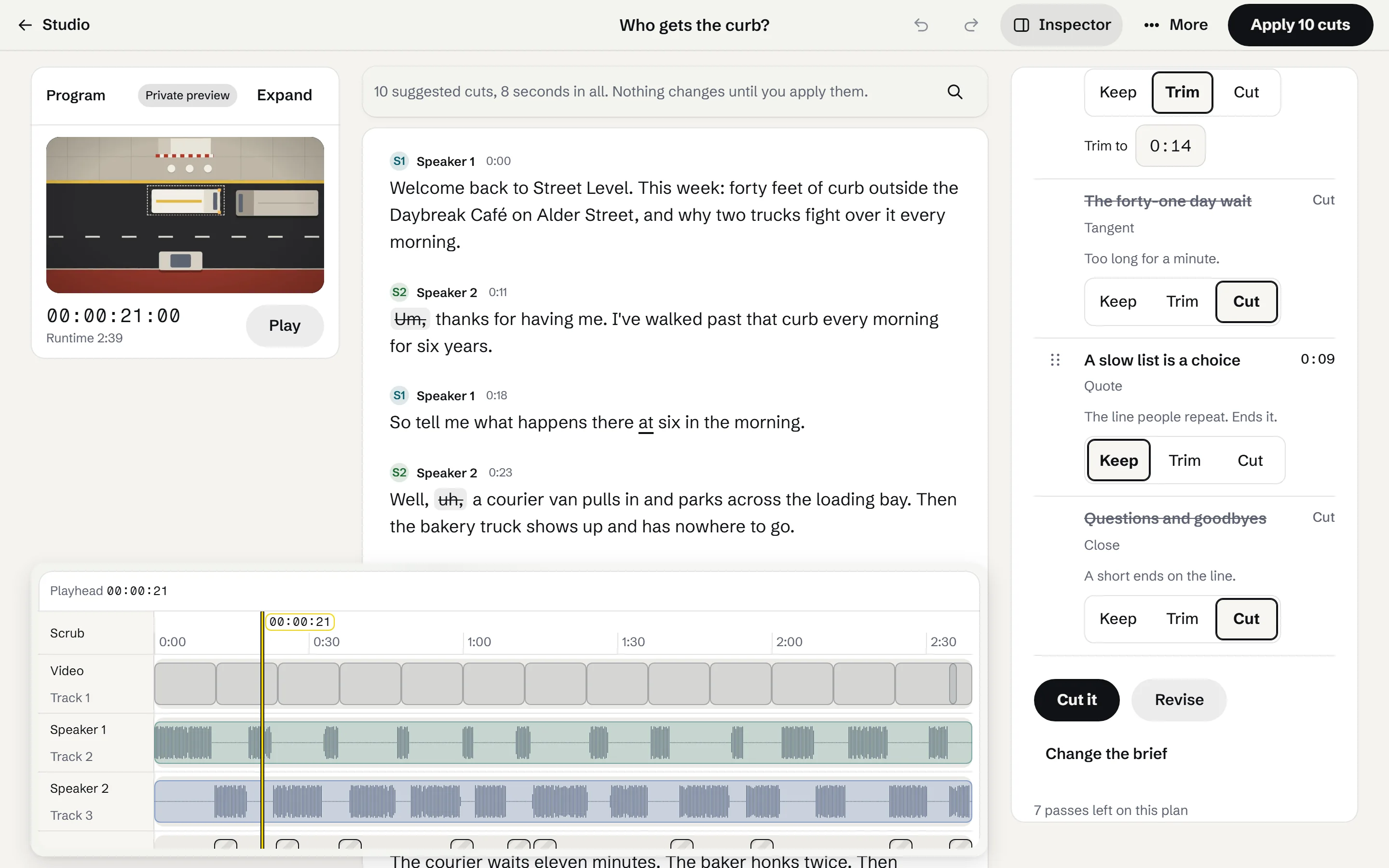
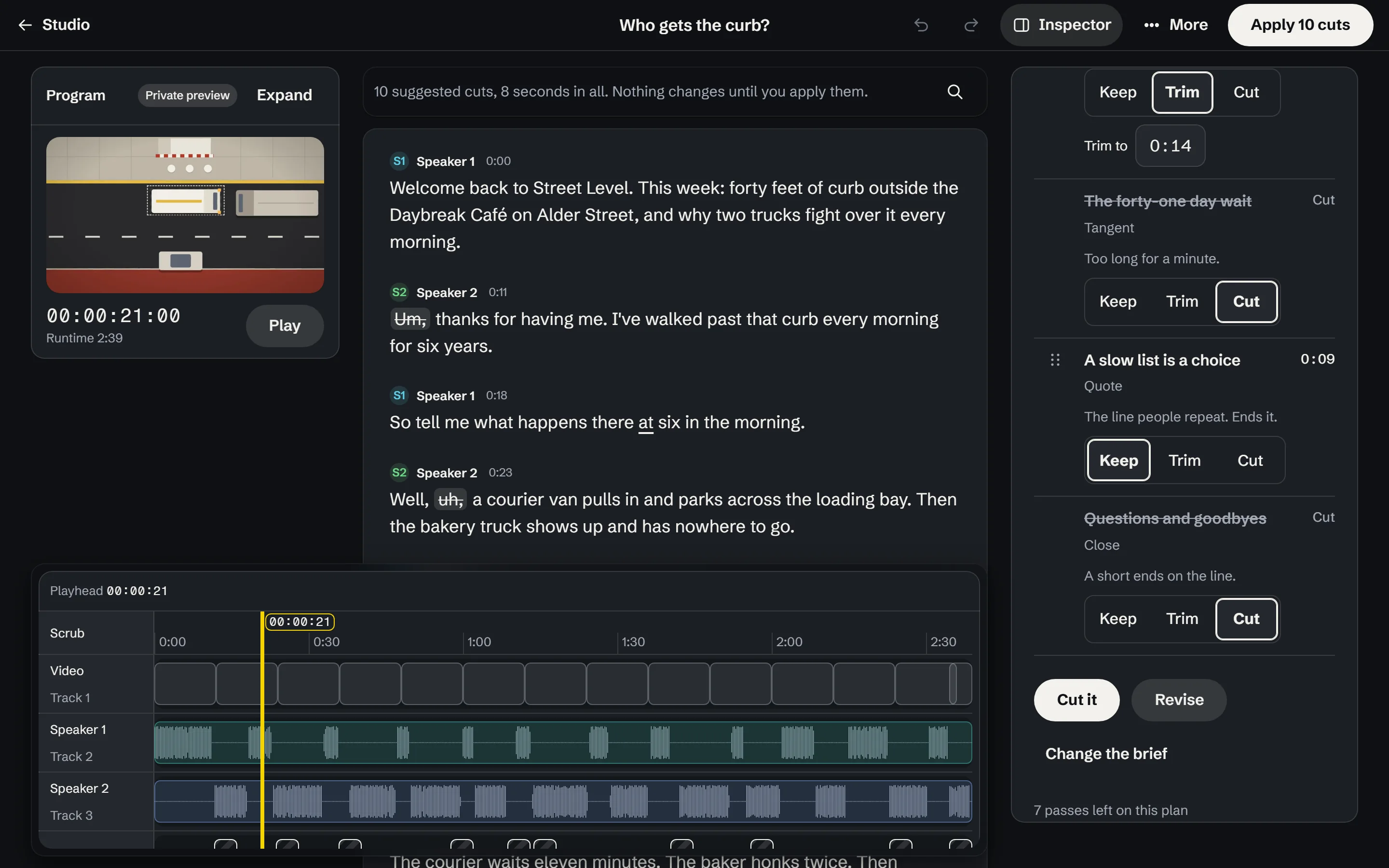
Edit Say what the video is for. Check the planned cut in the monitor. A fictional show, with a drawn street scene in the monitor; the transcript and cuts are sample data.
One workspace. Everything connected.
- Research
- Rundown
- Script
- Recording
- Edit
- Clips
- Approvals
- Publishing
Every part of the job lives in the same place and talks to everything else. When something changes, everyone sees the latest version. Nobody exports, re-uploads or re-explains.


The rundown knows its research.


The script knows its rundown, and hosts, guests and notes stay with the episode.


The clips know the episode they came from.
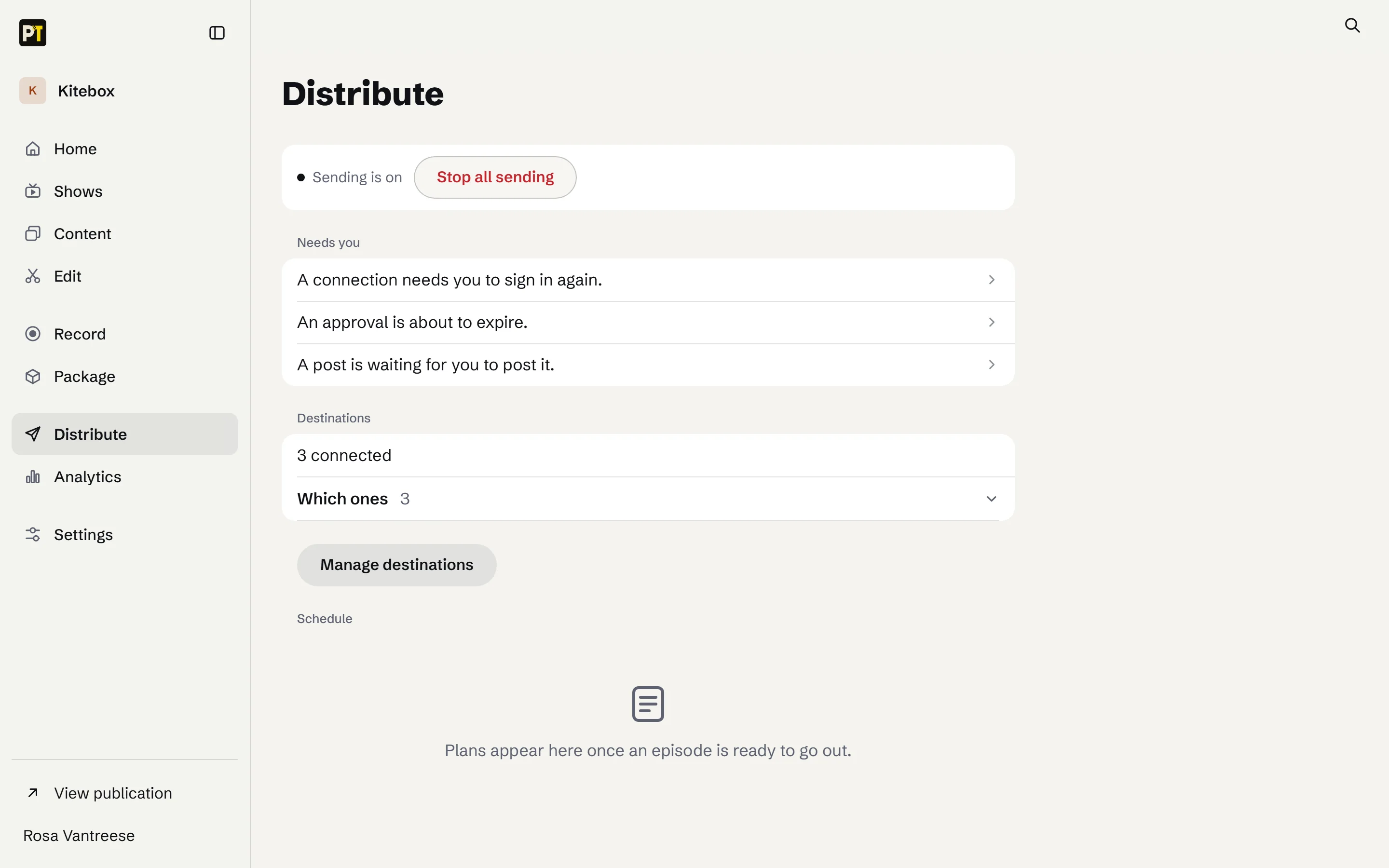
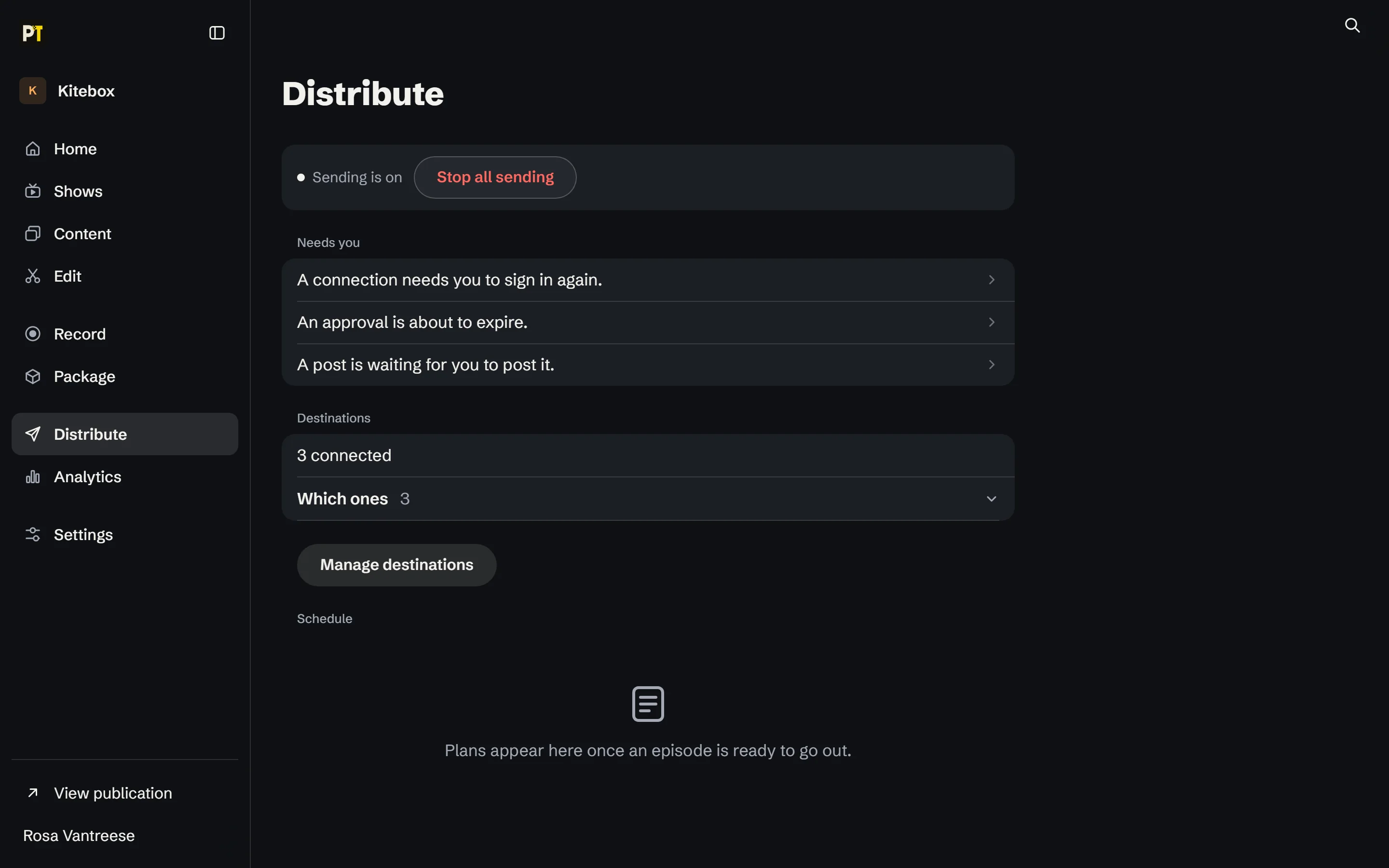
Nothing is sent or posted until someone on the team approves that exact version.
Where the time goes
Too much of a production team's time goes to keeping the content machine running instead of making the content better.
Producers, editors, hosts, researchers, designers and social teams all spend hours on necessary, repeatable work.
- Research and show prep
- Clipping and rewriting
- Formatting and publishing
- Repackaging for every platform
Do the hard work once. PublicTide helps your team take it everywhere.
From rundown to script
Pick the ideas. PublicTide builds the rundown right in the workspace.
Need a full script, or just an outline? PublicTide writes either one in the host's voice, with an angle the show's audience cares about.
The producer edits a draft instead of starting from a blank page.
Direct the edit
Tell it what the video is for. Check the cut before you keep it.
- Say what it's forWho it's for, how long it runs, what has to stay. Or hand it a reference video and match its pace.
- Check the planSee the moments it keeps and why, timed against the length you asked for, with a check on every cut.
- Keep what worksCompare the cut in the monitor, apply it, and take it back in one step if it isn't right.
How the work moves
Plan, record, edit, publish. One workspace from first idea to every format.
Plan
- PublicTide
- Gathers research and builds the rundown from the ideas you pick.
- Your team
- Your team decides what's worth making.


Record
- PublicTide
- Writes the script or outline, and keeps hosts, guests and notes together.
- Your team
- Your team sets the angle and the final script.


Edit
- PublicTide
- Drafts transcripts, chapters and clip ideas for the team to review.
- Your team
- Your team chooses which material makes the cut.
Publish
- PublicTide
- Prepares each version for the places the audience already is.
- Your team
- Your team decides what gets published, and where.
One piece, every format
Each audience gets the depth and format it wants.
A one-hour show, recorded once
- Full video
- Audio episode
- Selected clips
- Written recap
A two-hour live stream
- Highlights cut
- Vertical clips
- Blog post with timestamps
The facts match across every version because every version starts from the same approved work.
Who it's for
Media organizations and teams that make video end to end.
Video studios, podcast and video networks, creator-led media companies, and brands running several shows and channels.
- OrganizationYour company, its people and who may approve what.
- BrandEach brand keeps its own voice.
- ChannelWhere a brand publishes, with its own connections.
- ShowA show or a series, its team and its sign-off.
Each brand and show keeps its own voice, its own team and its own sign-off, with permissions and separation built in from day one.
Who decides what
Your team makes the calls. PublicTide does the carrying.
Your team
- What's worth making
- The angle and the final script
- Which material makes the cut
- What gets published, and where
PublicTide
- Research and the rundown
- Script drafts and rough cuts
- Reformatting for each platform
- Keeping context attached


How we prove it
Start with one show or one series. Expand when the numbers justify it.
- Time saved
- Hours returned to the creative work.
- Quality
- Work the team is proud to put its name on.
- Corrections
- Fewer errors as work changes formats.
- Faster decisions
- Less time spent chasing context, handoffs and approvals.
- Useful outputs
- Versions that reach and serve each show's unique audience.
We don't count how much content the software generates. We count what the team gets back.
A pilot asks for one show or one series and the people who already run it. Nothing else in your organization has to change.
What a pilot looks like
Four steps, one show or one series.
- Pick one show or series and its current workflow.
- Measure where the time goes today.
- Run the same work through PublicTide.
- Compare the results and decide together whether to expand.
Questions
What organizations ask before a pilot.
How are permissions and separation handled?
Work is arranged as Organization, Brand, Channel and Show. Each organization's work, people and connections are kept apart from every other organization's, and each brand and show keeps its own team and its own sign-off. Permissions and separation are part of the first pilot, not an add-on.
Who approves what?
Your team decides what's worth making, the angle and the final script, which material makes the cut, and what gets published, and where. Editing a version after it is approved means it needs approving again.
Does PublicTide publish anything on its own?
No. Drafts and suggestions change nothing until a person keeps them, and research and preparation never send or post anything by themselves.
Where does our audience stay?
Where it already is: the video channels, podcast apps and social feeds your brands already publish to. PublicTide prepares each version for those places. Your brands keep their own names and their own audience.
What does a pilot involve?
One show or one series and the people who already run it. Together we look at the current workflow, measure where the time goes today, run the same work through PublicTide, and compare the results before anyone decides to expand. Features are being built and verified with pilot partners, so a pilot also shapes what comes next.
Who owns the work and the audience?
Your organization does. Your work, your brands and your audience relationships stay yours. Where PublicTide handles subscriptions, your organization is the merchant of record, subscriber lists can be exported, and PublicTide never holds card data.
Now choosing pilot partners.
Give your best people the ability to carry good work further.
PublicTide is in pilot with a small number of media organizations and video teams. Features are being built and verified with them.